
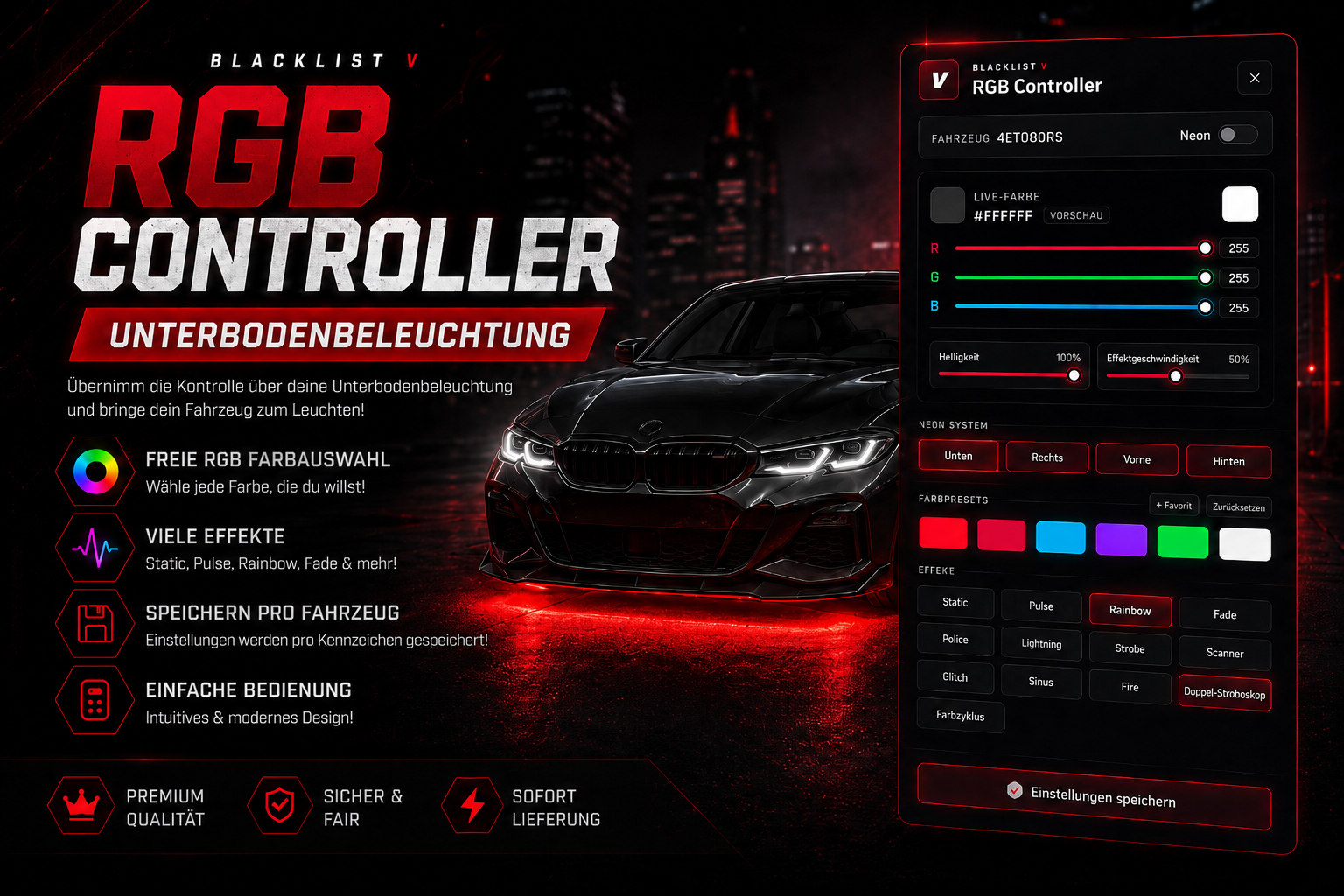
Bring your vehicle to life.
With the BLV RGB Controller, players get a modern and immersive system to control their vehicle underglow lighting. Colors, effects, brightness, speed, and individual neon sides can be adjusted directly through a high-quality custom UI.
This script is perfect for roleplay servers, tuning shops, mechanics, vehicle owners, and everyone who wants to give their vehicle a unique look.
Features
Modern RGB Controller
- High-quality custom NUI design
- Dark and modern interface
- Live color preview directly on the vehicle
- RGB color selection with sliders
- Color presets
- Favorite colors
- Configurable UI position, scale, and accent color
Vehicle-Based Underglow System
- Settings are saved per license plate
- Automatic loading of saved settings
- Statebag synchronization
- Optional driver check
- Optional vehicle ownership check
- Optional job restriction
Individual Neon Side Control
- Left
- Right
- Front
- Rear
Players can decide exactly which parts of the vehicle should light up.
Included Effects
- Static
- Pulse
- Rainbow
- Fade
- Police Flash
- Strobe
- Double Strobe
- Color Switch
- Color Pulse
- Side Run
- Scanner
- Heartbeat
- Lightning
Brightness and effect speed can also be adjusted.
Framework Support
The BLV RGB Controller supports:
- Standalone
- ESX
- QBCore
- ox_inventory
- ESX framework inventory
- QBCore framework inventory
- Optional RCore Tuning support
The script can automatically detect the framework, inventory system, and installation provider.
Usage
Players can open the RGB Controller through:
- Command:
/rgb - Item:
rgb_controller
Depending on your configuration, the item can also be used as an installation item. Once installed successfully, the RGB Controller will be permanently saved for that vehicle.
RCore Tuning Support
The script can optionally work together with RCore Tuning.
Supported features include:
- Detection of existing neon layouts
- Import via
neonEnabled - Import via
neonColor - Integration with existing tuning systems
RCore Tuning is optional and not required.
Admin Features
The script includes an ACE-protected admin command:
/rgbadmin
Admins can use it to check, delete, lock, or unlock RGB controller records.
Examples:
- View record
- Lock controller
- Unlock controller
- Delete record
Configuration
Many features can be adjusted directly in the config:
- Framework: auto, ESX, QBCore, or Standalone
- Inventory provider: auto, ox_inventory, framework, or none
- Installation provider: auto, RCore Tuning, item, or none
- Command
- Item name
- Driver requirement
- Ownership check
- Job restriction
- Allowed jobs
- UI position
- UI scale
- Accent color
- Animations
- Default color
- Default effect
- Default brightness
- Effect speeds
- Presets
- Allowed effects
Dependencies
Required:
- ox_lib
- oxmysql
Optional:
- ESX
- QBCore
- ox_inventory
- RCore Tuning
Installation
- Add the resource to your server
- Import
install.sql - Adjust the config
- Add the item to your inventory system if needed
- Start the resource after
ox_libandoxmysql
Example:
ensure oxmysql
ensure ox_lib
ensure blv_rgbcontroller
Item
Default item name:
rgb_controller
Depending on your settings, this item can be used to open the controller or install it into a vehicle.
Perfect For
- Roleplay servers
- Tuning shops
- Mechanic systems
- Vehicle customization
- Exclusive vehicle packages
- VIP features
- Racing and car scene vehicles
Languages
Included languages:
- English
- German
Why BLV RGB Controller?
The BLV RGB Controller is not just a simple neon script. It provides a complete system with saving, synchronization, framework detection, optional ownership checks, admin tools, multiple effects, and a modern custom UI.
A high-quality feature for every FiveM server that wants to offer more vehicle customization and a modern tuning experience.